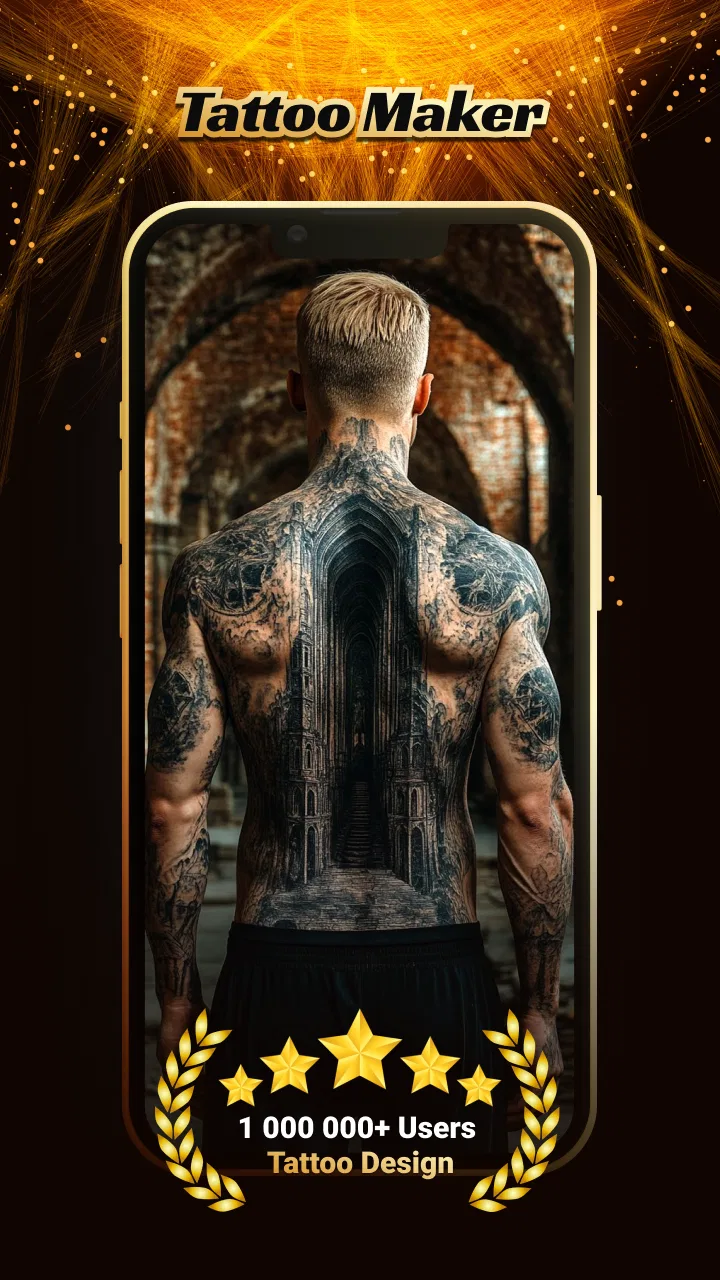
Tattoo Design - Tattoo Maker
- 3.5
- Rating
- 500.00K
- Installs
- Free
- Price

 Analysis by App-foxy
I tried Tattoo Design - Tattoo Maker as a quick way to explore tattoo ideas before treating any design as a serious commitment. It is an art and design app from Neli Creative, and its central appeal is simple: it lets you discover tattoo concepts and preview how a design might look before you ink. That makes it more useful as a planning companion than as a replacement for a tattoo artist, drawing program, or professional consultation.
My first impression was that the app is aimed at reducing the uncertainty that comes with choosing a tattoo. A sketch on a white screen can look completely different once it is imagined on an arm, shoulder, back, or leg. A visual preview helps bridge that gap. I found the idea especially practical for people who have a theme in mind but are still deciding on the style, placement, or overall scale.
It is free to use, carries an Everyone content rating, and works on devices running Android 9 or later. The current version is 1.4.15. Those details make it approachable for casual browsing, including a shared household tablet or a phone passed between family members, although the person using it should still understand that a preview is only an approximation of the final tattoo.
You May Also Like

 Blood Strike: 2.5 Anniversary
Blood Strike’s Loadouts Turn Every Drop Into a Tactical Gamble
A close look at Blood Strike’s custom loadouts: how fast access to signature weapons reshapes its battle royale rhythm, rewards preparation, and narrows the gap between fights.

 Pandora - Music & Podcasts
Pandora’s Music Is Easy to Start, but Harder to Recover
Pandora’s strength is its low-effort path from a seed to a station. Its weak spot is how much confidence it asks you to place in connection, setup, and quiet recovery.

 8 Ball Pool
8 Ball Pool Is Built on Rivalries, Rematches, and Routine
A close look at the rivalries, rematches, shared routines, and unanswered safety questions that turn a quick pool match into a persistent mobile community.

 Samsung Music
Samsung Music’s Quiet Strength Is Playing What You Already Own
Its reach comes less from spectacle than from dependable access to a personal library. That simplicity is both the app’s strongest retention engine and its ceiling.

 AccuWeather: Weather Radar
AccuWeather Review: A Quick, Clear Forecast for Everyday Decisions
For everyday plans, the best forecast is the one you can understand quickly. AccuWeather makes rain timing, radar, and local conditions easy to act on, with a few trade-offs.

 Hill Climb Racing
Why Hill Climb Racing Still Turns Crashes Into One More Run
A tiny car, a bumpy hill and one more upgrade: Hill Climb Racing keeps resurfacing because its simple chaos makes every near-miss feel personal.
More From Our News Desk



How Tattoo Design - Tattoo Maker works in a shared household
When I use Tattoo Design - Tattoo Maker on a shared phone or tablet, I treat it as a way to compare ideas together, not as a place to make a decision for someone else. I’d agree on whose concepts are being explored and keep each person’s favorites distinct, so a lively group discussion doesn’t blur personal preferences. That makes collaboration easier while leaving room for the wearer to decide what feels right.
A useful first stop when someone is still collecting ideas
The most natural shared-device scenario is a family member or partner considering a tattoo and asking others for opinions. Instead of passing around screenshots from random searches, I would use this app as a visual starting point. One person can browse a few directions, another can comment on whether the idea feels too large or too busy, and the eventual wearer can decide which suggestions actually feel personal.
That process matters because tattoo choices often become group discussions even when only one person will wear the result. A parent might help a teenager think through a symbolic design, partners might compare matching concepts, or friends might use the app to narrow down a theme before visiting a studio. The app is well suited to that early conversation because it puts the focus on visual possibilities rather than requiring everyone to understand drawing software.
I would not treat the first attractive result as a finished design. The better workflow is to collect several contrasting ideas: one minimal option, one more detailed option, and one that changes the placement or orientation. Comparing these side by side makes it easier to notice what you actually like. Sometimes the appealing part is the subject itself; sometimes it is only the line weight, composition, or position.
What to do before handing over a shared phone
Because this is a personal design tool rather than a household management app, I would establish simple boundaries before sharing a device. Decide who is browsing, who is making the final choice, and whether the images being viewed are merely inspirational or are intended for a future appointment. That small distinction prevents a casual family conversation from being mistaken for a completed tattoo plan.
I also recommend keeping each person’s ideas visually separate during a group session. If several people are considering tattoos, save or note the preferred concepts immediately rather than relying on memory. A shared device can make browsing convenient, but it can also blur whose idea belongs to whom. This is especially important when siblings or partners are exploring similar themes and do not want their choices mixed together.
The app does not replace a private decision-making space. Someone may want to explore a meaningful tattoo without explaining its significance to everyone using the phone. For that reason, I would ask before opening the app in front of others and avoid assuming that a shared device means shared access to every idea. The practical rule is straightforward: coordinate the browsing session, but leave the final artistic and personal decision with the wearer.
Coordinating ideas without turning the app into the decision-maker
One of the strongest ways to use Tattoo Design - Tattoo Maker is as a conversation aid. I would show a potential design to a tattoo artist and ask what needs to change for the image to work as body art. Fine details may need simplifying, a composition may need to be rotated, or the size may need to increase so the tattoo remains readable over time. The app can help you explain the direction, but the artist should determine what is technically sensible.
This is also where the preview needs to be interpreted carefully. A design that looks balanced on a screen may not follow the natural curve of a shoulder or forearm. Body movement, skin texture, and the relationship between the tattoo and nearby features all affect the finished result. I use the preview to ask better questions, not to make promises about exactly how the ink will look.
For group decisions, I found a three-step approach more reliable than endless scrolling. First, agree on the subject or message. Second, compare styles and placements. Third, stop browsing and discuss what should be removed. That last step is surprisingly important. People often improve a tattoo idea by taking away extra decoration rather than adding more elements, and a design app can encourage over-collecting if you never pause to edit.
Another useful trade-off is speed versus originality. Tattoo Design - Tattoo Maker can help someone move quickly from a vague thought to a visible concept, but a readily available idea may not feel distinctive enough for permanent body art. I would bring a promising concept to a professional and ask for a custom interpretation. The app is most valuable when it helps communicate your starting point, not when it becomes the final authority.
Age context, trust, and realistic expectations
The Everyone rating makes the app suitable for general household browsing, but that does not make every tattoo decision suitable for every age. A child may enjoy exploring symbols and artwork without being ready for permanent ink. A teenager may need a more careful conversation about consent, local rules, parental involvement, placement, and the long-term consequences of choosing a design during a temporary phase.
For younger users, I would frame the app as a creativity and idea-building tool. They can experiment with themes, learn how visual choices affect a design, and create a reference for a future conversation. I would avoid presenting the preview as permission or as a promise that a tattoo appointment should happen immediately. Trust works better here when adults explain the difference between imagining a tattoo and committing to one.
Adults should also avoid using a shared browsing session to pressure someone into a design. A group may love a particular image while the wearer feels uncertain. The app makes it easy to react to visuals, but reactions from other people should not outweigh the person who will live with the result. In my view, the best household use is supportive: ask questions, offer observations, and leave room for the wearer to change their mind.
There is another trust issue that is easy to overlook. Tattoo ideas can carry personal meanings, including memorial subjects, cultural references, or private symbols. If several people use the same phone, do not assume that every saved concept is open for discussion. A respectful household treats the app like a sketchbook: convenient to share when invited, but still personal when the owner wants privacy.
Where it fits beside ordinary alternatives
The usual alternative is searching the web or browsing social media for tattoo inspiration. Those sources offer enormous variety, but they can be distracting and make it difficult to organize a clear direction. Tattoo Design - Tattoo Maker feels more focused because the purpose is specifically tattoo discovery and previewing. I prefer it when I already know I want a tattoo and need help turning a general idea into something visual.
A drawing app is better when I want complete control over every line, layer, color, and revision. It is also the better choice for an artist creating an original composition from scratch. Tattoo Design - Tattoo Maker is less demanding for someone who does not draw, but that convenience comes with less control. In practice, I would use the tattoo app for exploration and a drawing tool or professional consultation for refinement.
Reference images from a tattoo studio or an artist’s portfolio are stronger when the goal is to judge craftsmanship, healed work, and a specific artist’s style. An inspiration app cannot answer whether a particular artist is experienced with a certain technique or body placement. If you are already choosing a studio, the artist’s portfolio should carry more weight than a generic preview.
There is also a difference between visualizing placement and evaluating permanence. A preview can help reveal that a design feels too crowded on a small area, but it cannot show how your preferences may change years later. I would use the app to test alternatives, then wait before committing. The extra time is not a weakness of the app; it is a sensible part of making a permanent choice.
Practical ways to get more from each browsing session
My first tip is to begin with constraints rather than an unlimited search. Decide whether the tattoo should be discreet or prominent, symbolic or decorative, simple or detailed, and whether it must work in a particular location. These limits make the app more useful because they turn browsing into comparison instead of passive scrolling.
My second tip is to test the same idea in several visual roles. A symbol that works as a small, clean mark may lose its identity when surrounded by extra details. Conversely, a design that looks empty at a larger scale may need more structure before it feels complete. Treat each preview as a question: does the subject remain clear, does the balance feel right, and would the design still make sense without the surrounding decoration?
My third tip is to show the strongest candidates to a tattoo artist early, before becoming attached to them. This can prevent wasted time on ideas that are difficult to tattoo or unlikely to age well. It also gives the artist a chance to suggest a better composition. I found that the app is most effective when used before the appointment and then set aside while technical decisions are made by someone with professional experience.
A fourth useful habit is to compare the design against real clothing and daily routines. A placement that looks attractive in a preview may be frequently covered by a sleeve, rubbed by a strap, or exposed more often than expected. Think about work, sports, formal occasions, and how the tattoo will fit with other body art. The app can begin that planning conversation, but you supply the everyday context.
Limitations that should shape your expectations
The biggest limitation is that a digital preview cannot reproduce the full reality of tattooing. It cannot account perfectly for body contours, skin variation, healing, aging, or the artist’s technique. Anyone expecting a precise simulation may be disappointed. I see the preview as a communication shortcut, not a guarantee.
The app may also feel too lightweight for experienced artists or users who already work comfortably with illustration software. If your goal is to build a highly specific custom design with detailed editing, you will probably want a dedicated drawing workflow. This app is more accessible for the person who has an idea but does not know how to sketch it independently.
Its average rating is 3.5 from around 167 ratings, with 27 written reviews, so I would approach it as a useful but not universally loved tool. The broader reach of over 500K installs suggests that many people are interested in this kind of quick tattoo planning, but popularity does not remove the need to judge whether the workflow suits you. I would install it for exploration, then keep a professional artist involved before making a permanent decision.
Since it is free, it is easy to try without turning the decision into a financial commitment. That is helpful for households where several people want to explore ideas separately. At the same time, free access can encourage casual browsing without a clear purpose. I get better results when I set a short goal for each session, such as comparing placements or narrowing a theme, rather than treating the app as an endless gallery.
Who should use it and who should choose something else
I would recommend Tattoo Design - Tattoo Maker to first-time tattoo seekers, people who struggle to describe an idea, couples comparing concepts, and families having an early conversation about a future tattoo. It is particularly useful when the main problem is visualization. Seeing a concept in context can reveal that the preferred design is too busy, too large, or simply not right for the intended placement.
I would be more cautious about recommending it to professional designers who need advanced editing, or to anyone expecting a final stencil ready for immediate tattooing. Those users need more control and expert evaluation. I would also suggest skipping it as the only planning tool if the tattoo has medical, cultural, legal, or highly personal implications that require advice beyond visual inspiration.
For a shared household, the best match is a device where people can browse together while respecting individual boundaries. It works well for collaborative inspiration, but it is not a substitute for private choice, professional consultation, or a careful discussion about age and permanence. The app can bring a vague idea into focus; it cannot decide whether that idea belongs on someone’s body.
My household verdict
After using it as an idea and preview tool, I see Tattoo Design - Tattoo Maker as a practical first step rather than a complete tattoo-planning system. Its strength is approachability: someone who cannot draw can still explore a direction, compare possibilities, and explain a concept to friends, family, or an artist. The free price and broad age rating also make casual household experimentation easy.
My recommendation is to use it in stages. Browse individually or with trusted people, record the few concepts that genuinely fit, and then take those ideas to a tattoo professional. Keep the wearer in control, especially when younger family members or emotionally meaningful designs are involved. Do not confuse a convincing screen preview with a guaranteed result.
The app earns its place when it helps you ask better questions before the needle arrives. If you want quick visual inspiration and a way to coordinate an early discussion, I think it is worth trying. If you need precision drawing, advanced customization, or professional-level production tools, a dedicated art app and an experienced tattoo artist will serve you better.
Overall, I would keep it on the “explore first” side of my toolkit. Neli Creative has made something accessible for the uncertain stage of tattoo planning, and that stage is where many people need the most help. Just use the preview as a conversation starter, protect personal choices on shared devices, and let the final design be shaped by the person wearing it and the professional applying it.
FAQs for Tattoo Design - Tattoo Maker
01What is Tattoo Design - Tattoo Maker used for?
Tattoo Design - Tattoo Maker is a creative app for exploring tattoo ideas and planning a design before visiting a professional artist. It typically lets you browse inspiration, combine visual elements, experiment with styles, and preview how a tattoo might look. It is best considered a design and visualization tool, not a replacement for professional tattoo advice or actual tattooing.
02Can I create a completely custom tattoo design in the app?
The app is useful for building personalized concepts by selecting, arranging, resizing, and editing tattoo-style graphics. Depending on the version and available tools, customization may include changing placement, scale, orientation, colors, or other visual details. However, the level of freedom may not match professional illustration software, so complex designs may still need refinement by a tattoo artist.
03Can I preview a tattoo on my own body or photo?
Many tattoo-maker applications allow users to place a design over a photo or use a virtual preview feature, which can help with choosing size and body placement. Results should be treated as an approximation because lighting, skin shape, perspective, and final tattoo technique can change the appearance. Always ask a professional artist for a realistic assessment before booking.
04Is Tattoo Design - Tattoo Maker free to download and use?
The application may be available as a free download, but some designs, editing tools, export options, or advanced features can be restricted behind advertisements, in-app purchases, or a subscription. Before installing, check the current Google Play Store or App Store listing for pricing, trial conditions, and recurring charges. Availability and included features can vary by device and region.
05Is the app suitable for choosing a permanent tattoo?
Tattoo Design - Tattoo Maker can help you compare ideas, test placements, and communicate your preferences to a tattoo artist, but it should not be the only basis for a permanent decision. Review the meaning, spelling, proportions, and cultural context of any design carefully. A qualified artist can adapt the concept to your body and explain how it may age over time.
Pros
- Large library of tattoo ideas across many styles and body placements.
- Simple editing tools make it easy to preview designs on your skin.
- Useful for comparing tattoo sizes
- positions
- and visual styles.
- Inspiration can be saved for later reference during consultations.
- Works well for users planning a custom tattoo concept.
Cons
- Some designs and advanced features may require in-app purchases.
- Virtual previews may not accurately match every skin tone or body shape.
- Final tattoo results depend on a professional artist’s interpretation.
- The app may feel repetitive if you want highly original artwork.
- Advertisements can interrupt browsing and editing sessions.

Tattoo Design - Tattoo Maker
Gallery